- ホーム
- Microsoft
- AZ-500J - Microsoft Azure Security Technologies (AZ-500日本語版)
- Microsoft.AZ-500J.v2021-07-28.q87
- 質問42
有効的なAZ-500J問題集はJPNTest.com提供され、AZ-500J試験に合格することに役に立ちます!JPNTest.comは今最新AZ-500J試験問題集を提供します。JPNTest.com AZ-500J試験問題集はもう更新されました。ここでAZ-500J問題集のテストエンジンを手に入れます。
AZ-500J問題集最新版のアクセス
「517問、30% ディスカウント、特別な割引コード:JPNshiken」
必要に応じて、次のログイン資格情報を使用します。
ユーザー名を入力するには、[サインイン]ボックスにカーソルを置き、下のユーザー名をクリックします。
パスワードを入力するには、[パスワードの入力]ボックスにカーソルを置き、下のパスワードをクリックします。
Azureユーザー名:[email protected]
Azureパスワード:Ag1Bh9!#Bd
以下の情報は、テクニカルサポートのみを目的としています。
ラボインスタンス:10598168
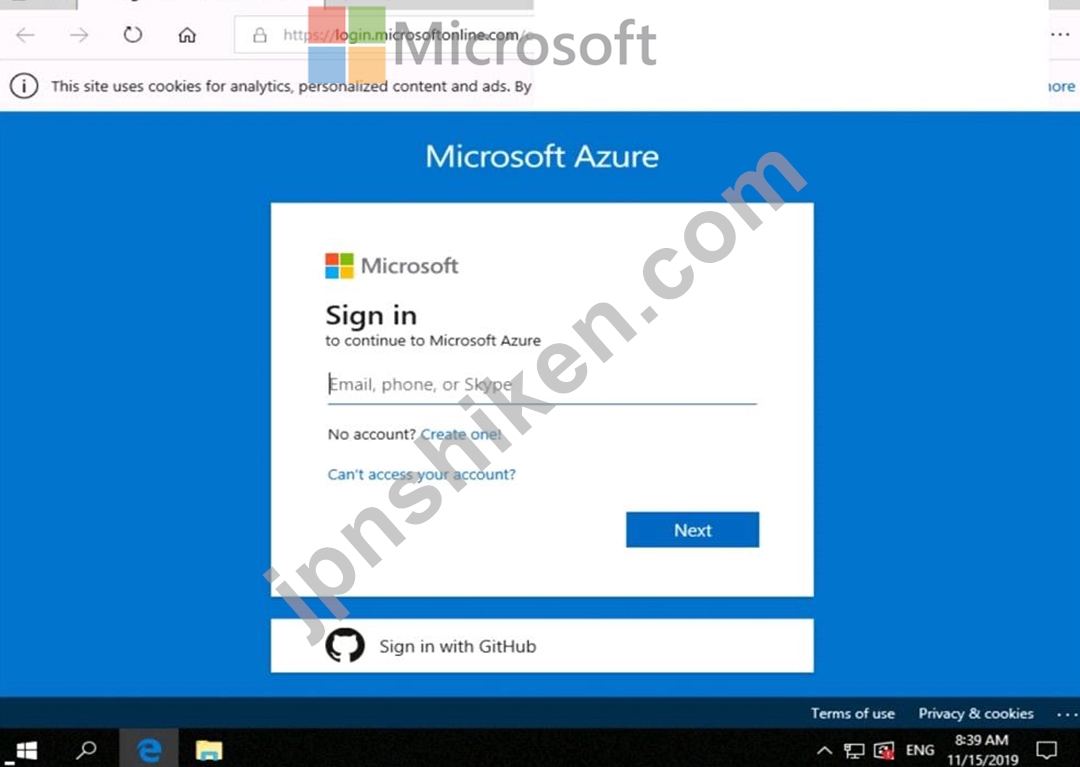


インターネットからVM1という名前の仮想マシンへのRDP接続を許可するようにAzureを構成する必要があります。
このソリューションでは、VM1の攻撃対象領域を最小限に抑える必要があります。
このタスクを完了するには、Azureポータルにサインインします。
ユーザー名を入力するには、[サインイン]ボックスにカーソルを置き、下のユーザー名をクリックします。
パスワードを入力するには、[パスワードの入力]ボックスにカーソルを置き、下のパスワードをクリックします。
Azureユーザー名:[email protected]
Azureパスワード:Ag1Bh9!#Bd
以下の情報は、テクニカルサポートのみを目的としています。
ラボインスタンス:10598168
インターネットからVM1という名前の仮想マシンへのRDP接続を許可するようにAzureを構成する必要があります。
このソリューションでは、VM1の攻撃対象領域を最小限に抑える必要があります。
このタスクを完了するには、Azureポータルにサインインします。
正解:
To enable the RDP port in an NSG, follow these steps:
Sign in to the Azure portal.
In Virtual Machines, select VM1
In Settings, select Networking.
In Inbound port rules, check whether the port for RDP is set correctly. The following is an example of the configuration:
Priority: 300
Name: Port_3389
Port(Destination): 3389
Protocol: TCP
Source: Any
Destinations: Any
Action: Allow
Reference:
https://docs.microsoft.com/en-us/azure/virtual-machines/troubleshooting/troubleshoot-rdp-nsg-problem
Sign in to the Azure portal.
In Virtual Machines, select VM1
In Settings, select Networking.
In Inbound port rules, check whether the port for RDP is set correctly. The following is an example of the configuration:
Priority: 300
Name: Port_3389
Port(Destination): 3389
Protocol: TCP
Source: Any
Destinations: Any
Action: Allow
Reference:
https://docs.microsoft.com/en-us/azure/virtual-machines/troubleshooting/troubleshoot-rdp-nsg-problem

- 質問一覧「87問」
- 質問1 SQL1という名前のAzure SQL Databaseサーバーがあります。 SQL1...
- 質問2 Microsoft Antimalware for Virtual Machinesを使用して、web115...
- 質問3 VNET01仮想ネットワーク上のSubnet0サブネットからの接続のみを...
- 質問4 contoso.onmicrosoft.comという名前のAzure Active Directory(A...
- 質問5 次の表に示すAzure仮想マシンを含むAzureサブスクリプションがあ...
- 質問6 ネットワークには、contoso.comという名前のActive Directoryフ...
- 質問7 仮想ネットワークを含むAzureサブスクリプションがあります。仮...
- 質問8 次のリソースを含むAzureサブスクリプションがあります。 * Subn...
- 質問9 プラットフォーム保護要件を満たすには、AKS1を展開する必要があ...
- 質問10 次の表に示す仮想マシンを含むSub1という名前のAzureサブスクリ...
- 質問11 image1という名前のコンテナーイメージを含むContReg1という名前...
- 質問12 注:この質問は、同じシナリオを提示する一連の質問の一部です。
- 質問13 Azure AD Premium P2でAzureサブスクリプションを作成します。 A...
- 質問14 https://www.contoso.comのURLを使用してアクセスされるオンプレ...
- 質問15 次の表に示すユーザーを含むcontoso.comという名前のAzureActive...
- 質問16 Azureサブスクリプションを作成します。 Azure Active Directory...
- 質問17 Azure ActiveDirectoryプレミアムプラン1テナントにリンクされた...
- 質問18 Sub2のVM1、VM2、およびVM3のセキュリティを評価しています。 以...
- 質問19 Server1、Server2、およびServer3という名前の3つのオンプレミス...
- 質問20 次の表に示す仮想マシンを含むAzureサブスクリプションがありま...
- 質問21 Vault1という名前のAzure Key Vaultを含むAzureサブスクリプショ...
- 質問22 注:この質問は、同じシナリオを提示する一連の質問の一部です。
- 質問23 次の表に示す仮想マシンを含むAzureサブスクリプションがありま...
- 質問24 Azure Key Vaultがあります。 次の要件を満たすために、Key Vaul...
- 質問25 User1という名前のユーザーを含むcontoso.comという名前のAzureA...
- 質問26 インターネットからVNET1 \ subnet0への接続がTCPポート経由での...
- 質問27 Azure ADアプリケーションの登録と同意の構成がIDとアクセスの要...
- 質問28 Sub1という名前のAzureサブスクリプションがあります。 1つのサ...
- 質問29 注:この質問は、同じシナリオを提示する一連の質問の一部です。
- 質問30 次の表に示すリソースを含むSubscription1という名前のAzureサブ...
- 質問31 注:この質問は、同じシナリオを提示する一連の質問の一部です。
- 質問32 Group1のIDおよびアクセス要件を満たす必要があります。 あなた...
- 質問33 注:この質問は、同じシナリオを提示する一連の質問の一部です。
- 質問34 Azure Kubernetes Service(AKS)クラスターをテストしています...
- 質問35 次の表に示す仮想ネットワークを含むAzureサブスクリプションが...
- 質問36 次の展示に示すAzureリソースの階層があります。 (Exhibit) RG1...
- 質問37 次の表に示すように、米国東部2リージョンに2つのAzure仮想マシ...
- 質問38 注:この質問は、同じシナリオを提示する一連の質問の一部です。
- 質問39 contoso.comという名前のAzure Active Directory(Azure AD)テ...
- 質問40 User1という名前のユーザーとConReg1という名前のAzure Containe...
- 質問41 webapp1という名前のAzure Webアプリがあります。 Azure Repoを...
- 質問42 必要に応じて、次のログイン資格情報を使用します。 ユーザー名
- 質問43 複数の仮想マシンディスクにAzureDiskEncryptionを使用すること...
- 質問44 データとアプリケーションの要件を満たすようにWebApp1を構成す...
- 質問45 必要に応じて、次のログイン資格情報を使用します。 ユーザー名
- 質問46 Azureリソースマネージャーテンプレートを使用して、同一に構成...
- 質問47 Group1とGroup2のメンバーシップは何ですか?回答するには、回答...
- 質問48 VNET1およびVNET2という2つのAzure仮想ネットワークのネットワー...
- 質問49 contoso.comという名前のAzureActive Directory(Azure AD)テナ...
- 質問50 次の展示に示されているアラートを含むAzureサブスクリプション...
- 質問51 次の表に示す仮想マシンを含むAzureサブスクリプションがありま...
- 質問52 Azureサブスクリプションがあります。 Azure Active Directory(...
- 質問53 container1という名前のコンテナーを持つstorage1という名前のAz...
- 質問54 すべての仮想ネットワークがピアリングされます。 AzureBastion...
- 質問55 次の表に示すユーザーを含むAzureサブスクリプションがあります...
- 質問56 次の表に示すAzure仮想マシンがあります。 (Exhibit) どの仮想マ...
- 質問57 WebApp1という名前のAzure Webアプリがあります。 証明書をWebAp...
- 質問58 Subscription1という名前のAzureサブスクリプションがあります。...
- 質問59 コンテナー化されたアプリケーションインスタンスの新しいストレ
- 質問60 Sub1という名前のAzureサブスクリプションがあります。 ITチーム...
- 質問61 必要に応じて、次のログイン資格情報を使用します。 ユーザー名
- 質問62 Debbieという名前のユーザーは、モバイルデバイスにAzureアプリ...
- 質問63 必要に応じて、次のログイン資格情報を使用します。 ユーザー名
- 質問64 sql1という名前のAzureSQLデータベースを含むAzureサブスクリプ...
- 質問65 Danny11597200という名前のユーザーが、SQL Server Management S...
- 質問66 AzureSentinelワークスペースを含むAzureサブスクリプションがあ...
- 質問67 次の展示に示すAzureリソースの階層があります。 (Exhibit) 次の...
- 質問68 Azure Log Analyticsを使用して、Windows Server 2016を実行する...
- 質問69 Sub1という名前のAzureサブスクリプションがあります。 Sub1には...
- 質問70 VNET1という名前の仮想ネットワークとVNET2という名前の仮想ネッ...
- 質問71 Azureサブネットにバインドされたネットワークセキュリティグル...
- 質問72 contosos.comという名前のAzure Active Directory(Azure AD)テ...
- 質問73 User2-11641655にKeyVault11641655のすべてのキー権限があること...
- 質問74 Intranet11597200という名前のWebアプリを作成し、ユーザーがAzu...
- 質問75 次の表に示すユーザーを含むAzure Active Directory(Azure AD)...
- 質問76 App1という名前のWebアプリとVault1という名前のAzureキーボール...
- 質問77 次の表に示すAzure Key Vaultを含むSub1という名前のAzureサブス...
- 質問78 あなたの会社の開発者は、App11641655という名前のアプリをAzure...
- 質問79 あなたの会社は、部門ごとに個別のサブスクリプションを作成する
- 質問80 RG1という名前のリソースグループに15のAzure仮想マシンがありま...
- 質問81 Vault1という名前のAzure Key Vaultを含むAzureサブスクリプショ...
- 質問82 Sub2の仮想マシン間のネットワーク通信のセキュリティを評価して...
- 質問83 次の表に示すリソースを含むAzureサブスクリプションがあります...
- 質問84 VM1という名前のAzure仮想マシンがあります。 Azure Security Ce...
- 質問85 管理者がAzureResource Managerテンプレートを使用してリソース...
- 質問86 User8にRG4、RG5、およびRG6の所有者ロールを割り当てます。 Use...
- 質問87 次の表に示すリソースを含むSub1という名前のAzureサブスクリプ...
